Features

Vox Stella Features: Horary, Astro Clock, Forensic, Trait Profile

Feature highlights

Horary, Astro Clock, Transits, Forensic, Trait Profile

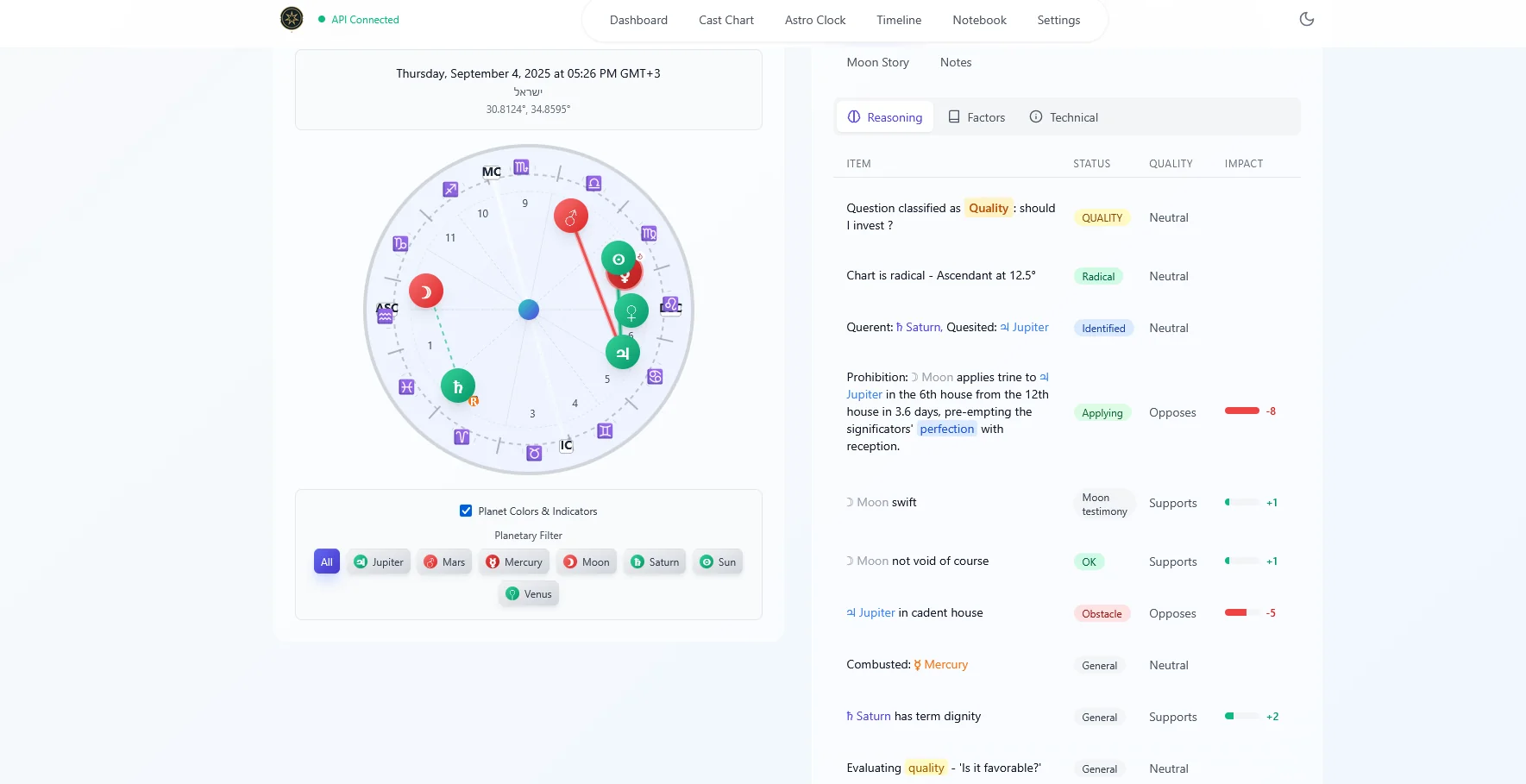
Horary engine screenshot
Horary
Horary

Horary Judgment

  • Instant answers with transparent reasoning.
  • Auto‑classifies roles and houses.
  • Now or any time/place (timezone/DST).
  • Perfection types: direct, translation, collection.
  • Denial checks, receptions and dispositors.
Open full details
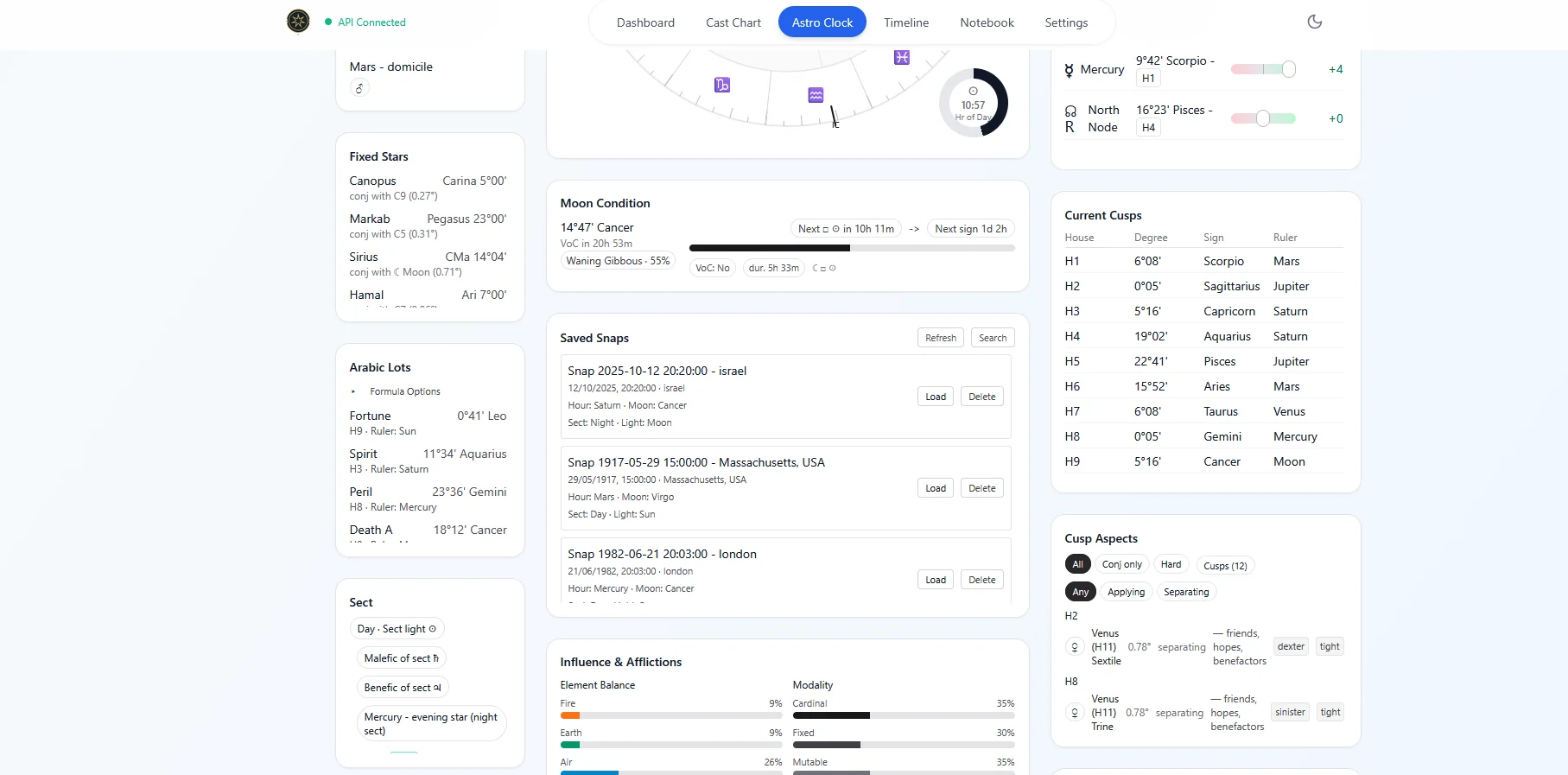
Astro Clock dashboard screenshot
Astro Clock
Astro Clock

Astro Clock Dashboard

  • Live sky dashboard; one‑tap refresh.
  • Clean chart: positions, houses, aspects.
  • Dispositors with mutual receptions.
  • Fixed stars and Arabic Lots.
  • Day/Hour, sect, visibility indicators.
Open full details
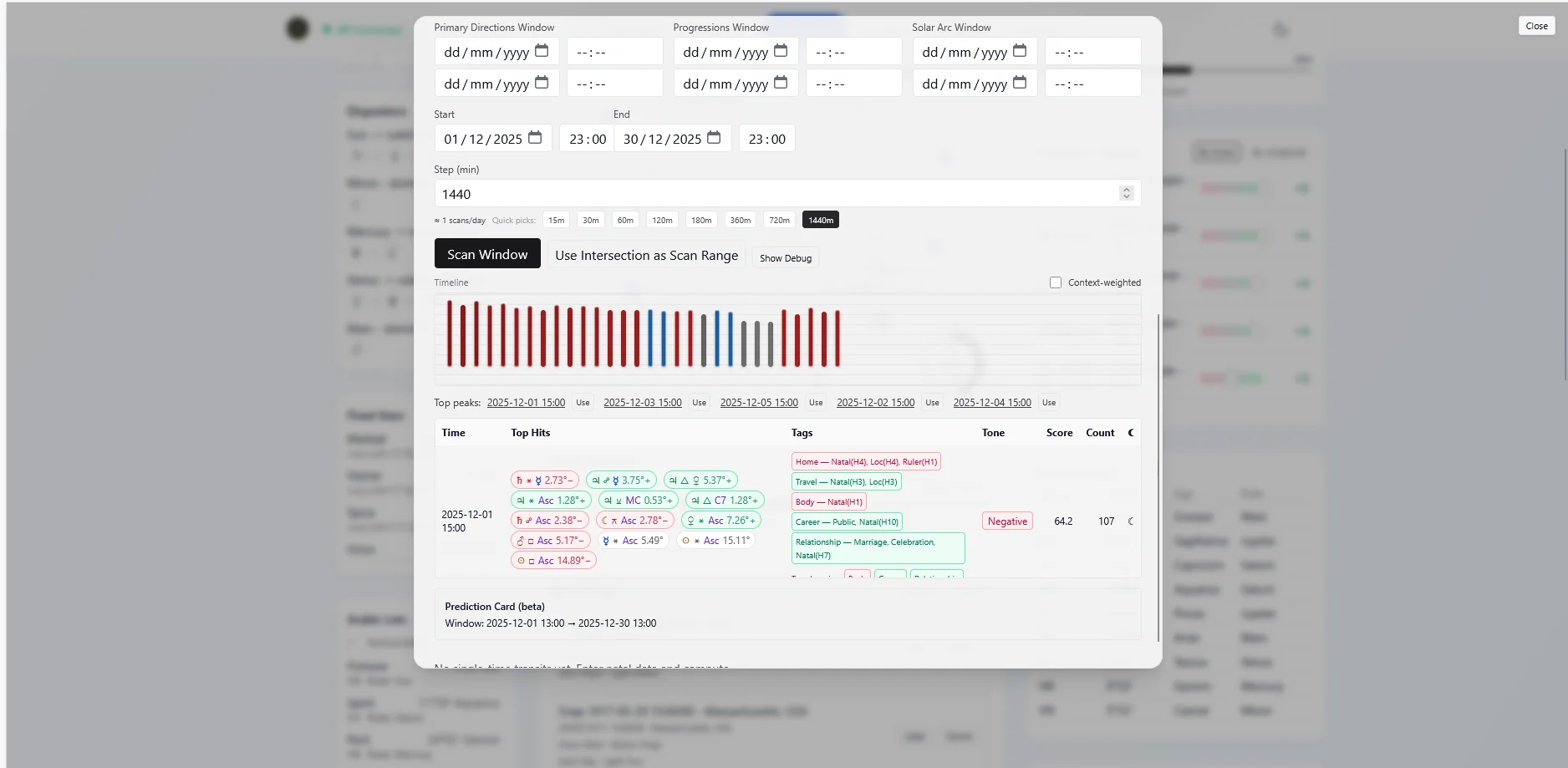
Transits scanner screenshot
Transits
Transits

Transits Scanner

  • Precision natal transits: moment or window.
  • Clear tags, direction/phase, and orbs.
  • Modern planets, cusps, antiscia and Lots.
  • Focus filters to cut noise.
  • Export to Excel/CSV.
Open full details
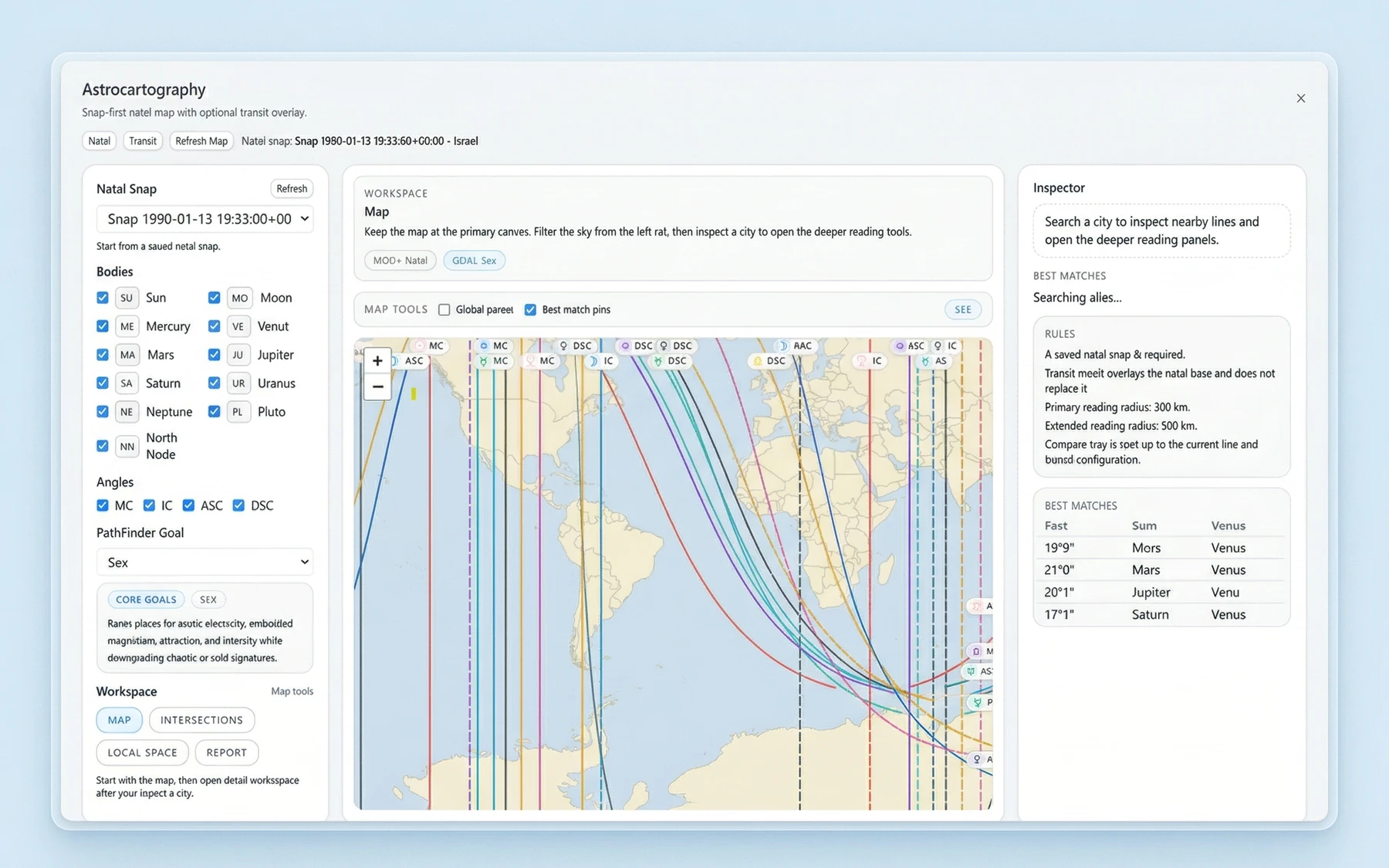
Forensic tools screenshot
Forensic
Forensic

Forensic Tools

  • Direction‑of‑travel cues; compass guidance.
  • Local space lines; adjustable corridors.
  • Abduction mode: direction + distance bands.
  • Rule‑based roles and clear hypotheses.
  • Built‑in map for practical planning.
Open full details
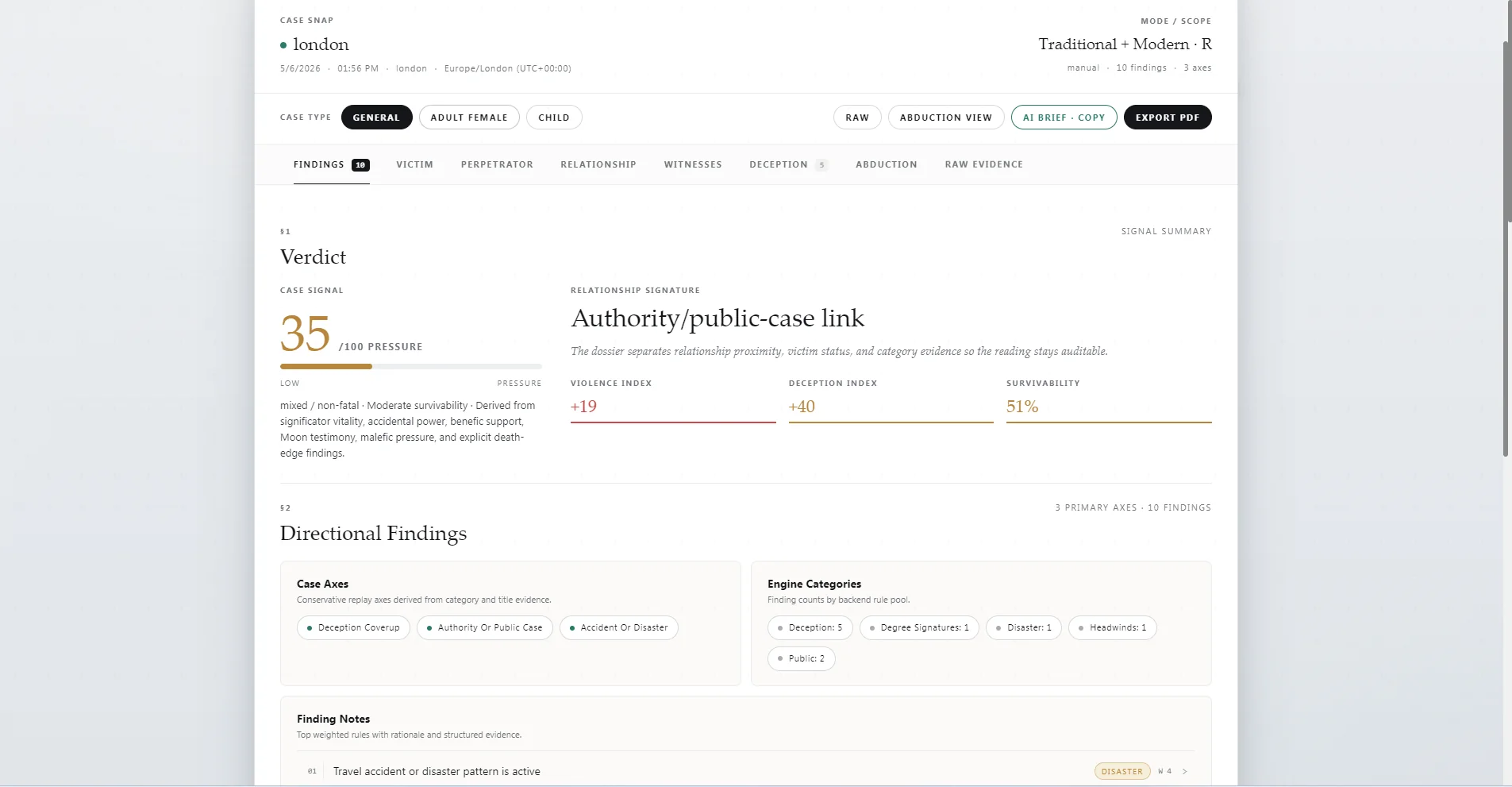
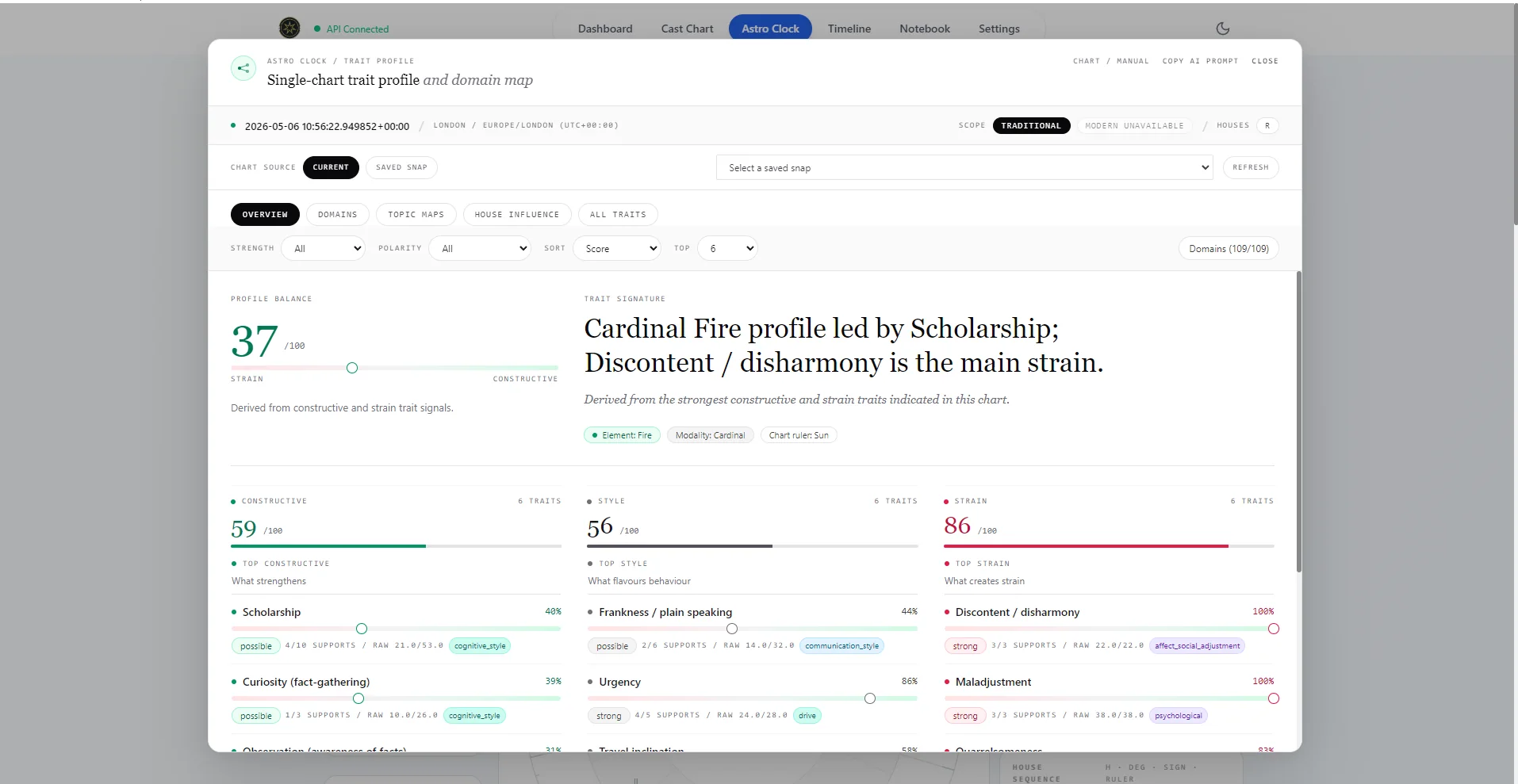
Trait profile screenshot
Profile
Profile

Trait Profile

  • Fast trait map from classical signals.
  • Ranked strengths with simple guidance.
  • Topic maps: profession, health.
  • Concise, auditable takeaways.
Open full details

Horary & election playbooks

Prep clients with explainers that mirror Vox Stella’s judgement engine—then show how those same principles power launch scoring.

Forensic workflow in practice

Need proof that direction-of-travel cues and event reconstructions hold up? Share the Monster of Florence walkthrough to illustrate how investigators can pair charts with on-the-ground intel.

Read the 1968 Monster of Florence case study →

Horary

Horary Judgment

Yes/No horary engine with receptions

  • Instant answers with transparent reasoning and confidence cues.
  • Auto‑classifies your question into the right houses and roles.
  • Works “Now” or from any time/place with correct timezone/DST.
  • Checks perfection types (direct, translation, collection) with real‑world sequence logic.
  • Handles denial conditions (e.g., frustration, refranation, abscission) when they matter.
  • Smart receptions and dispositors, surfaced as clear mutual/unilateral highlights.
  • Solar conditions at a glance: cazimi, combustion, under‑beams with traditional exceptions.
  • Moon tracker: void‑of‑course, last/next aspect and a simple timing timeline.
  • Optional overrides for special cases (e.g., ignore void Moon/combustion).
  • Choose your house system (Regiomontanus default; Placidus, Whole Sign, Equal, Porphyry, Campanus, Koch, Topocentric supported).
Horary engine
Horary engine screenshot
Astro Clock dashboard
Astro Clock dashboard screenshot
Astro Clock

Astro Clock Dashboard

Real‑time chart, dispositors, fixed stars

  • Live sky dashboard (auto, manual, or paused) with one‑tap refresh.
  • Clean circular chart with positions, houses, and current aspects.
  • Dispositor chains with final dispositors and mutual receptions.
  • Fixed stars and Arabic Lots surfaced alongside your chart.
  • Planetary Day/Hour panel; sect and visibility comfort indicators.
  • Degree hits (e.g., critical degrees) and angle/cusp aspects awareness.
  • Minor and modern aspects (optional) and declination aspects.
  • Solar conditions panel with simple “applying vs separating” context.
  • Dark theme, compact tiles, and an audit‑friendly layout.
Transits

Transits Scanner

Natal transit scan with filters

  • Precision transits to natal (single moment or window scan).
  • Understand impact quickly with clear tags, direction/phase, and orbs.
  • Include modern planets, cusps, antiscia/contra‑antiscia, and Lots (optional).
  • Focus filters (houses/planets) and “sensitive” targets to cut noise.
  • Export to Excel/CSV for clients, research, or archiving.
  • Auto‑context windows: solar return timing, solar‑arc windows, progressed cues.
Transits scanner
Transits scanner screenshot
Forensic tools
Forensic tools screenshot
Forensic

Forensic Tools

Direction map and role analysis

  • Direction‑of‑travel cues and compass guidance from the chart.
  • Local space lines and adjustable corridors for search strategy.
  • “Abduction” mode to highlight direction and distance bands.
  • Clear, rule‑based findings to organize Victim/Perpetrator/Witness/Outcome hypotheses.
  • Built‑in map (with markers, polylines, and zones) for practical planning.
  • Decision‑support positioning: always used alongside professional investigation.
Profile

Trait Profile

Classical trait signals and themes

  • Fast “trait map” of personality themes from classical signals.
  • Ranked strengths with simple guidance and topic maps (e.g., profession, health).
  • Focuses attention; designed for clear, auditable takeaways.
Trait profile